CameraShutterCount.Com VS CameraShutterCount.Net
If you've ever searched for a way to check your camera's shutter count, you've probably landed on both of these sites at some point. Same name, different domain, (I bet you thought it was the cheap version of the original) and at first glance they seem to do exactly the same thing, tell you that your camera is dying. But once you spend a few minutes on each one, you'll notice they offer quite different experiences.
I'm going to compare CameraShutterCount.Com and CameraShutterCount.Net side by side, so you can decide which one fits your needs. (Or just to laugh at the screenshots, that works too.)
If you're still figuring out how to check your shutter count at all, start with our step-by-step guide on how to check shutter count, or browse the best sites to find your camera shutter count.
CameraShutterCount.Com: the original
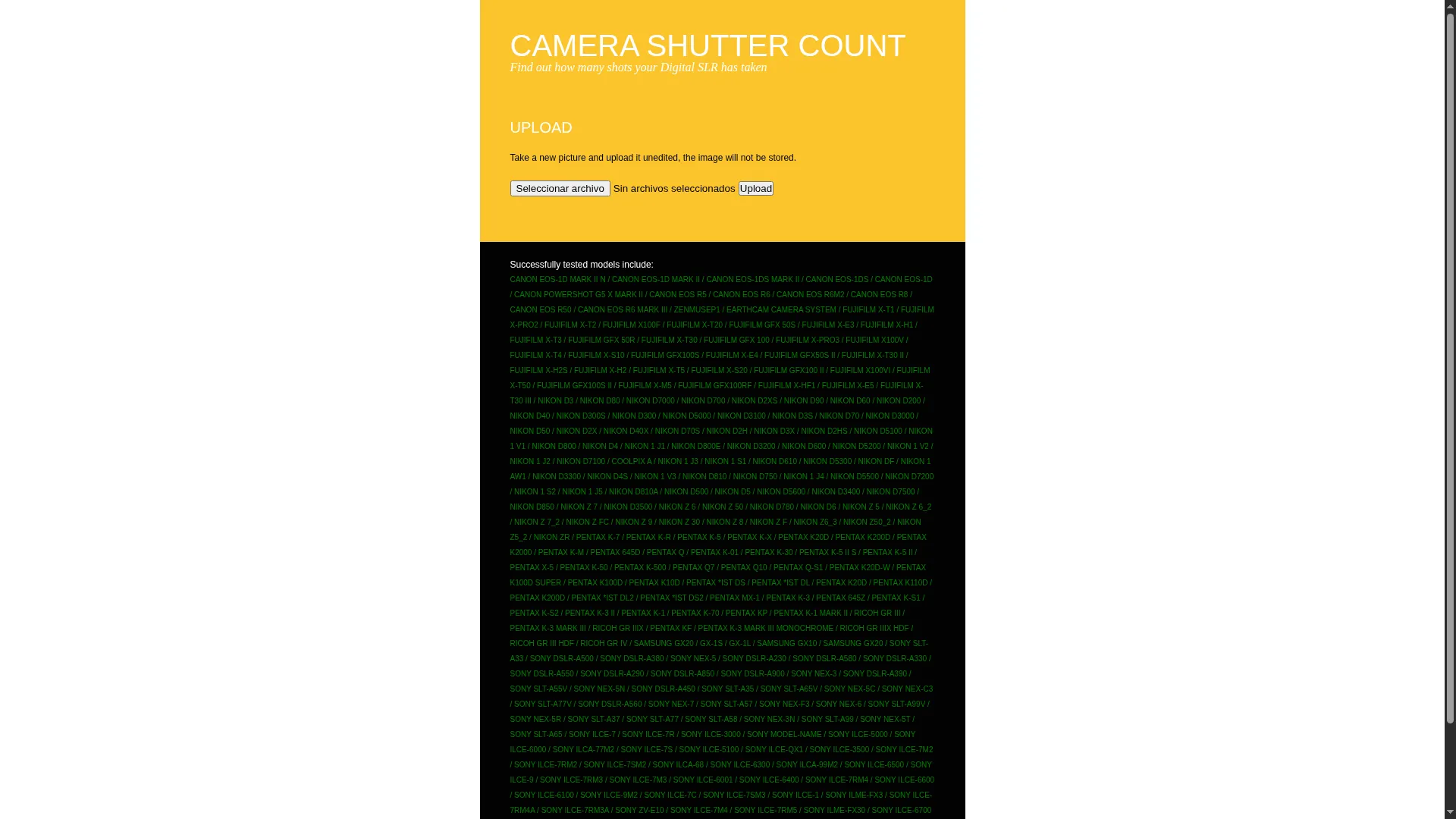
Let's start with the original. CameraShutterCount.Com has been around for years and it's the site most photographers default to when they need to check the shutter count of a used camera. It's reliable and simple, and it's been tested with a huge list of camera models, from old DSLRs to the latest mirrorless releases. (The list is so long it looks like they just dumped a database on the page.)
Its design is... functional, nothing too fancy. (Read: it looks like it hasn't been touched since 2010.) You get a page with an upload form and a list of supported models. Nothing more, nothing less. And that's not necessarily a bad thing: it loads fast, there are no distractions, and you get your result in seconds.
Another advantage of the .com version is that it doesn't show any ads, yes, nothing. You won't find banners or sponsored content while you use it. That's a plus if you're tired of sites that feel more like a billboard than a tool. They prefer the old-fashioned way of making money: a "Buy Us A Coffee" button, (which I seriously doubt it attracts donators)
CameraShutterCount.Net: the ~~wanna be~~ improved version
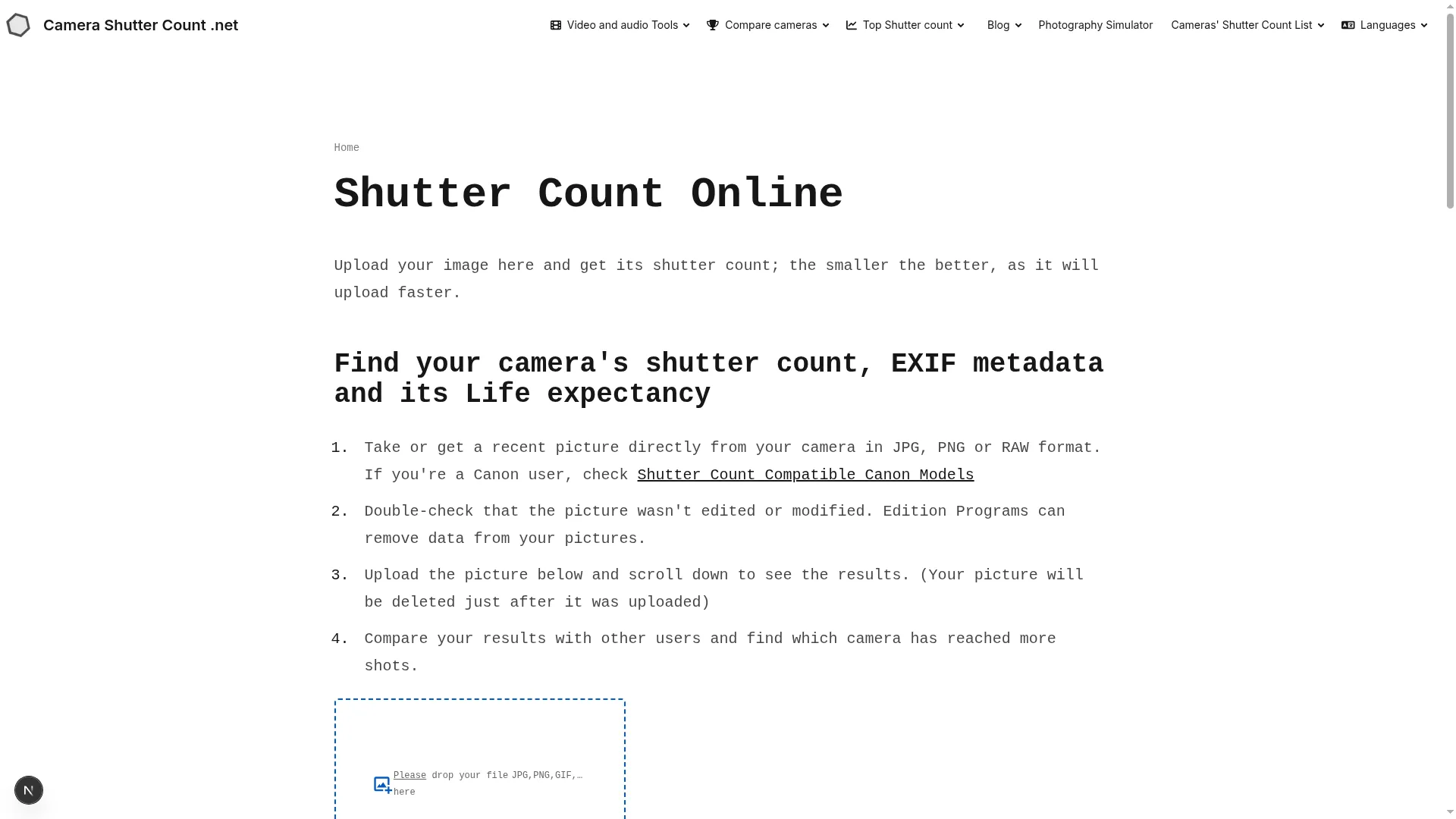
Now let's talk about the .net version. Full disclosure: this is the site I've been working on, so take my opinion with a grain of salt. (Or a whole bag, IDGAF.) I'll try to be as objective as I can.
The first thing you'll notice is the design. It's cleaner and more modern, thanks to DaisyUI, and the upload form is showing big, right in front of you when the page loads. No mini tiny 80's input from the days of Windows 98. You just drop your picture and you're done (Revolutionary, I know.), faster than the camerashuttercount.com version, don't believe me? try it.
The bigger difference is what happens after you upload your picture. Instead of just showing you a number, the .net version gives you context:
- Your rank among other photographers, based on your shutter count. (So you can feel superior to people who actually go outside and shoot.)
- A histogram that shows where your count sits compared to other users. (Finally, a visual way to feel bad about your camera's mileage.)
- Your camera's life expectancy, so you know how much of its rated shutter life you've used. (Spoiler: it's less than you think... maybe)
- A shareable result page, so you can show your count to others. (For when you want to brag about your 50k shutter count on social media.)
You can also compare your results with other users. The site keeps a top shutter count ranking with the highest counts ever registered, a list of recent shutter counts so you can see what other photographers are uploading, and even a ranking of cameras with the highest average shutter count. It's a more visual way to see your results and understand where you stand.
It's also multilingual, which is nice if English isn't your first language. (Or if you just want to check your shutter count in Arabic for some reason.)
I'm not going to lie to you: the .net version has ads. Yeah, I know, nobody likes ads. They're there to keep the site running, sorry, but I won't pretend they don't exist. If you prefer a completely ad-free experience, the .com version wins that round. (You win some, you lose some.). Unlike those Brave users who always win.
Main differences between CameraShutterCount.Com and CameraShutterCount.Net
| CameraShutterCount.Com | CameraShutterCount.Net | |
|---|---|---|
| Design | Functional, old-fashioned | Clean, modern |
| Ads | None | Yes |
| Compare with other users | No | Yes |
| Visual results (histogram, rank) | No | Yes |
| Top shutter count ranking | No | Yes |
| Recent shutter counts | No | Yes |
| Multilingual | No | Yes |
| Original site | Yes | No |
Which one should you use?
Both will give you an accurate shutter count. Both use ExifTool under the hood. If you just want a quick number with zero distractions, the .com version is perfectly fine, and being the original counts for something. (Even if it looks like it's been frozen in time.)
But if you want more context around your result, if you like seeing where your camera stands compared to other photographers, or if you want to check the highest shutter counts ever recorded, the .net version is worth a try. (And no, I'm not saying that just because I built it. Okay, maybe just a little.)
CameraShutterCount.Com VS CameraShutterCount.Net, Just use whatever works for you
Both sites do the same core job: reading the shutter count from your picture's metadata. The .com version is the original, ad-free, and reliable. The .net version is cleaner, more visual, and adds community features like rankings and comparisons, at the cost of showing some ads.
Try both and see which one feels better to you. Your camera's shutter count will be the same either way. (Your camera's life expectancy, on the other hand...)
And if you're checking a used camera you're about to buy, remember the number is only half the story. Here's what a good shutter count actually looks like.