How to Check Shutter Count: A Quick Guide for Photographers
Your shutter count is like the odometer on a car: it gives you an idea of how much life your camera has left. Whether you're buying used or just curious, here's how to check it.
Why Shutter Count Matters
Your camera's shutter mechanism isn't built to last forever. Most DSLRs and mirrorless cameras are rated for a certain number of actuations (usually between 100,000 to 500,000). Once you get close, the risk of failure increases. Checking the shutter count helps you judge a used camera's lifespan, decide if it's time for an upgrade, or sell your gear with transparency.
It's important to know the shutter count but not as important as you think, there are more factors to take into consideration.
How to Find Your Shutter Count
1. Use Built-In Camera Data (If Available)
Some cameras display shutter count in the menu system. Check under:
- Settings > Maintenance (for some Sony models)
- Firmware info screens (varies by brand)
If you don't see it, don't worry, most cameras require external tools.
2. Upload a Recent Photo to an Online Tool
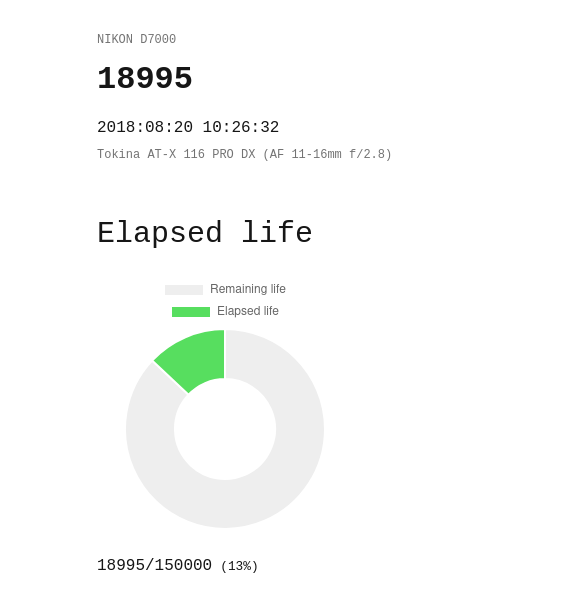
There are plenty of websites to read shutter count data. They analyze metadata from an unedited JPEG using the well known ExifTool. Just:
- Take a fresh photo (don't edit or crop it), it doesn't have to be a RAW picture, JPG is fine.
- Upload the file to the site, it should upload super fast.
- If the data is available in the picture it will show up on the screen.
- Share the link to find out your rank and compare how many pictures have you taken compared to other photographers
Note: Doesn't work for all camera models. Yes, I'm looking at you, Canon and Sony
3. Use Desktop Software
For more detail, try these free tools:
- ExifTool (Advanced, works for most brands).
- ShutterCount (Mac, for Canon/Nikon).
- EOSInfo (Canon-specific).
Download, connect your camera via USB, and let the software pull the data.
What's a "Good" Shutter Count?
- Under 10,000: Basically new, offer your camera as semi-new.
- 10,000–50,000: Lightly used, you can brand your camera as used but working as new.
- 50,000–100,000: Moderate wear, you should let the buyer know that your camera has been used.
- 100,000+: High mileage, budget for eventual shutter replacement depending on the conditions it was used.
These bands are only a rough guide and they shift with the model, for a more detailed breakdown read our guide on what's a good shutter count for a used camera.
Before you buy
If you're buying used equipment, always verify the shutter count before purchasing. Sellers sometimes underestimate usage!